Planning a trip used to mean twenty open tabs: a blog post for the itinerary, a map for distances, a weather site, a booking site and a spreadsheet to hold it all together. AI has collapsed a lot of that into a single conversation. Ask ChatGPT, Claude or Gemini for "three days in Lisbon" and you get a plan in seconds. The catch is that a vague prompt gets you a vague, generic plan, and a chat window is not a great place to keep a trip once you are actually on the road.
This guide covers both halves: the prompts that turn a general chatbot into a useful travel planner, and the point where a dedicated AI trip planner like YesTrip does the job better.
Why most AI travel plans feel generic
Language models fill gaps with averages. If you do not say how fast you like to travel, what you care about or where you are staying, the model assumes a "typical tourist" and hands you the top ten sights in the order every listicle uses. The result looks fine but ignores walking distances, opening days and the fact that you hate museums.
The fix is the same as for any prompt: give context, constraints and a clear output format. Travel just has more of them than most tasks.
The five things every travel prompt needs
- Destination, dates and length. Real dates matter: they decide the season, public holidays and which sights are closed on Mondays.
- Your base. The neighbourhood of your hotel changes the whole route. "Staying near Rossio" beats "in Lisbon".
- Pace and style. Relaxed or packed? Museums, food, hiking, nightlife? Travelling with kids?
- Hard constraints. Budget, mobility, a dinner reservation, an arrival time on day one.
- Output format. Ask for days, times and the distance between stops, so you can actually follow it.
Prompt 1: a day-by-day itinerary
This is the workhorse. It forces the model to group sights by area and be honest about travel time.
Prompt 2: stress-test the plan
Models are confident even when they are wrong. A second pass that asks the AI to criticise its own plan catches most problems: a museum that is closed on Tuesdays, two sights an hour apart squeezed into one morning, or a day trip that only works with a car.
Tip: Always check opening hours, prices and event dates on the official site before you go. Asking the model to say "not sure" is the single best way to spot where it might be inventing details.
Prompt 3: where should I go at all?
If you have the time off but no destination, flip the question around and let the AI shortlist places that fit your style and season.
Prompt 4: packing list and practical info
Save prompts like these as templates instead of retyping them for every trip. A prompt library with placeholders lets you fill in the destination and dates and get a consistent result each time, and a prompt enhancer can turn a rough one-liner into a structured travel prompt in one click.
Where a chatbot stops being enough
A chat conversation is great for the first draft. It gets awkward once the trip becomes real:
- No map. You can't see whether the plan makes sense geographically without copying every stop into a map app.
- Hard to edit. Moving one stop or shifting the whole trip by two days means another long prompt and a fresh wall of text.
- Not built for the road. On day three you want "what's next and how do I get there", not to scroll through a chat history.
- Nothing to share. Travelling with friends means copy-pasting, splitting costs in another app and voting in a group chat.
That is the gap dedicated AI trip planners fill: they use the same kind of model under the hood but wrap it in a map, a timeline and tools for the trip itself.
YesTrip: an AI trip planner built for the whole trip
YesTrip is a free AI trip planner for the web and Android that keeps the planning, the trip and the memories in one place. You say where you want to go, for how long and what you enjoy, and the AI drafts a day-by-day plan with times, short walks and a map. From there you move, remove and add stops until it fits, and if the trip shifts, you change the dates and the plan moves with it.
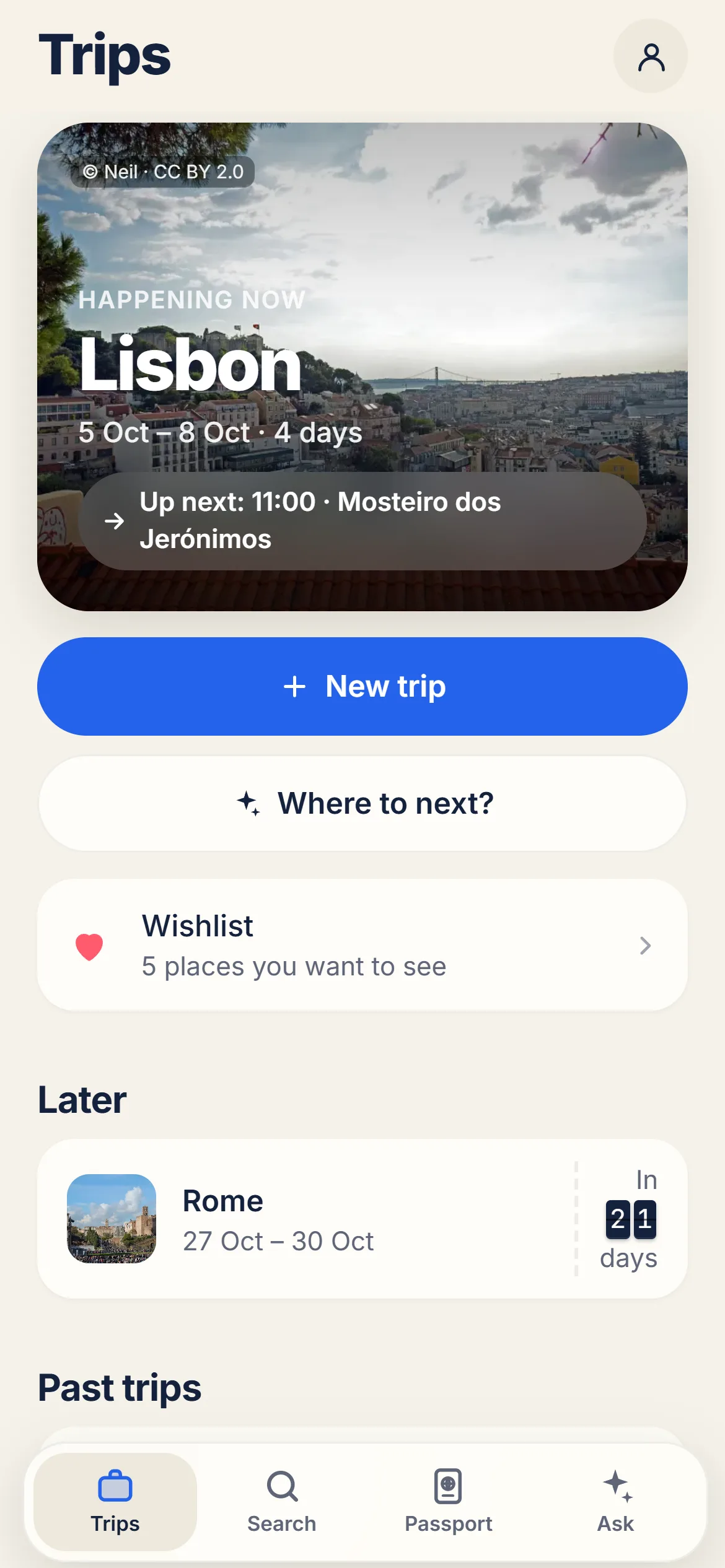
What makes it different from a chatbot conversation:
- Today view on the road. During the trip it shows your next stop, the way there, the day's tickets and the weather, with one tap to open the route.
- Explore map with real photos. Around 6,500 well-known sights in more than 130 destinations, so you can pick places visually and drop them into a day.
- From Instagram and TikTok to a plan. Paste a reel, TikTok or YouTube link and the app finds the places in it on the map.
- "Where to next?" Without a destination, the AI suggests places that match your travel profile, your wishlist and the trips you rated.
- Travelling together. Share a trip by link, plan together, split expenses and vote on restaurants and day trips.
- Offline package and passport. Download maps before you leave, and collect stamps, badges and a year in review afterwards.
YesTrip shows you flights, hotels and tours in one search, but you always book directly with the provider. Every AI suggestion is labelled as such, and trips, tickets and photos are stored on your device. If you just want to see how a good plan looks before writing any prompt, start from a ready-made 3-day Lisbon itinerary and copy it into the app with one tap.
A simple workflow that combines both
- Brainstorm in a chatbot with Prompt 3 if you don't have a destination yet.
- Draft the itinerary with Prompt 1, then stress-test it with Prompt 2.
- Move the trip into a planner such as YesTrip to see it on a map, adjust the order and add flights, hotel and tours.
- Use the Today view on the road and keep the trip as a memory afterwards.
- Save the prompts that worked so your next trip starts from a proven template.
Conclusion
AI is genuinely good at the hardest part of trip planning: turning a vague idea into a structured plan. Give it real context, ask it to check its own work, and verify the facts that matter. Then, when the plan needs a map, a timeline and a travel group, hand it over to a tool built for the trip itself.
Disclosure: YesTrip is built by the same independent founder as PromptChief.